
Edit text in image with same font
Change text in an image without starting your design over. Replace text in an image using the original lettering as a visual reference for style, size, colour and spacing.
Try a font-matched editNo font file needed. Exact font matching is not guaranteed.
Start with your image.
A menu, a poster, a little typo.
Drop it here and let’s fix the words.
Recent images
AI-generated results only · last 6 images, up to 64 MB in this browser. Uploads are not cached. Shared with anyone using this browser profile.
Your AI-generated images will appear here. Select one to edit it again.
How to replace text while matching its style
Start with clear lettering
Upload your original PNG, JPG or WebP rather than a compressed screenshot of it. Readable letters give the AI a better visual reference for strokes, weight and spacing.
Select the complete text
Draw a box around the words you want to replace. Include the full height of letters, accents and shadows, with a little background around them. Avoid cutting through strokes or including unrelated text.
Keep the new wording a similar length
Type the exact replacement, including punctuation and capitalisation. Similar-length wording has less need to squeeze into the existing layout. Use separate boxes for separate text regions.
Check the result at full size
Compare letter shapes, baseline, spacing and background edges before downloading the PNG. If exact brand typography is essential, use the original design file and font instead.
See text edits before and after
Actual results from this tool using selected-area editing. Review every result; exact font matching is not guaranteed.
Change a headline
Sunday brunchSaturday brunch
Replace a poster headline while keeping the surrounding design.
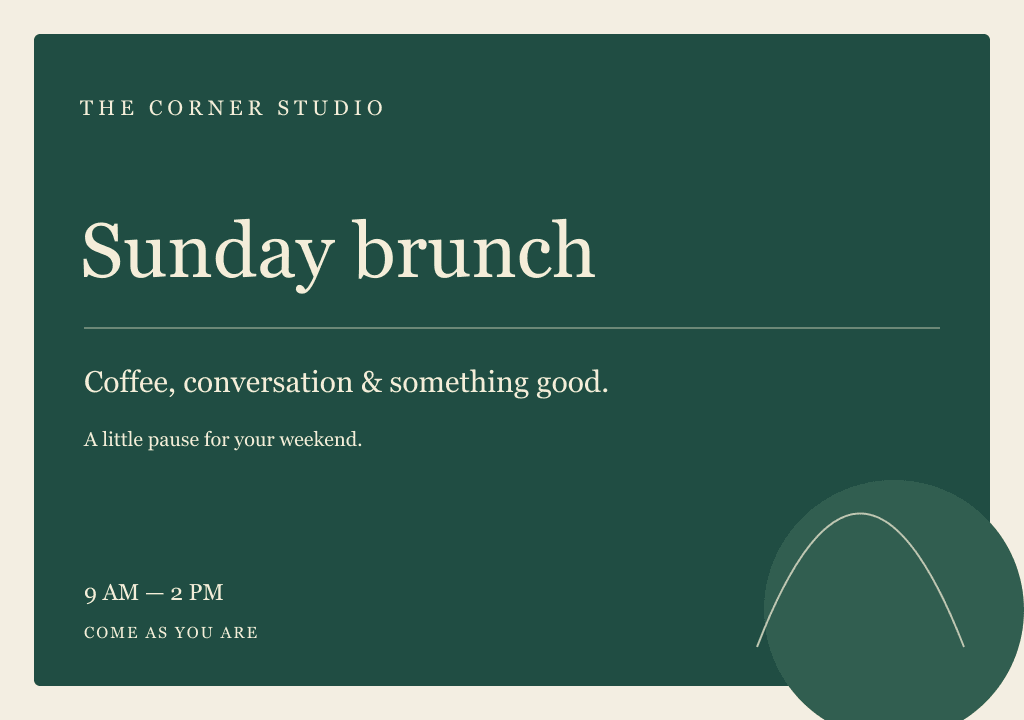
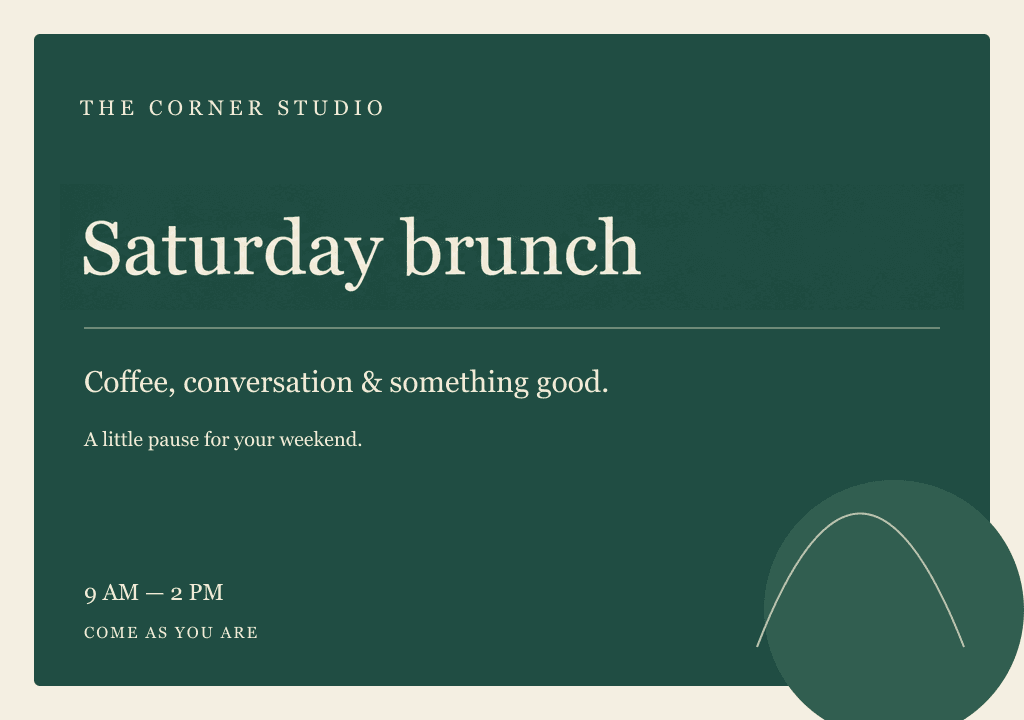
Original artwork made for this demonstration. AI results shown without manual retouching. Pixels outside each selected area are preserved by the editor.
Edit text in your image ↗Match the appearance, not a font file
A flattened image contains pixels rather than editable type. This editor uses AI to generate replacement lettering that resembles those pixels; it does not recover the original font name or produce editable text layers.
This can help with a short poster headline, a menu price or an event date when the source file is unavailable. It is less suitable when you need exact kerning, a specific licensed typeface or a guaranteed print-ready result.
Same-font image editing FAQ
Can I edit text in an image with exactly the same font?
The AI aims to reproduce the visible lettering, including its shape, weight, size, colour and spacing. It does not identify or load the original font file, so an exact match is not guaranteed. For strict brand typography, use the original editable design and licensed font.
Do I need to know the font name or install it?
No. You can use the lettering already visible in the image as the reference. Upload a PNG, JPG or WebP and enter the replacement text. You do not need Photoshop or the source design file.
Will the background and layout stay the same?
In selected-area mode, pixels outside your selection are preserved by the editor. Pixels inside the box are regenerated, so the background, letter spacing or alignment there can vary. Without boxes, AI edits the whole image and other details may change.
Why does a longer replacement look different?
More characters must fit into the same space. The result may use smaller letters, tighter spacing or different line breaks. Try wording close to the original length, or use your original design file when the layout cannot change.
Does it work on handwriting or curved text?
Decorative lettering, handwriting, curved baselines, low-resolution text and complex backgrounds can be difficult to reproduce. Start with a clear image and inspect the output closely; the tool cannot guarantee a faithful match for every style.
Can I try it for free?
New accounts receive enough credits for one edit, with no payment card required. Check the pricing page for current credit packs and availability. Review the generated result before using it publicly.
Which images may I edit?
Use images you own or have permission to edit, such as menus, posters, advertisements and marketing designs. Do not falsify receipts, invoices, identity documents, certificates, academic records, contracts, bank statements or other evidence of facts.
See pricing or contact us for help.
Give your image the right words
Upload your imageTry one free edit. Review the font match before publishing.